
Business Not Showing Up on Google Maps? What to Check
Why Your Business Is Not Showing Up on Google Maps If your business is not showing up on Google Maps, first check whether customers can open its public profile. An inaccessible listing needs checks on eligibility, verification, restrictions and duplicates....
- Oct 14, 2026
- 9 min read
By Danish Hussain
Why Your Business Is Not Showing Up on Google Maps
If your business is not showing up on Google Maps, first check whether customers can open its public profile. An inaccessible listing needs checks on eligibility, verification, restrictions and duplicates. A listing that opens but is absent from relevant service searches needs a local ranking review.
Searching “plumber near me” and not finding your business does not establish that Google has removed it. Seeing management controls while signed in also does not confirm public visibility.
Identify which problem you have before making changes.
Start With This Google Maps Visibility Decision Tree
Search Google Maps for your exact business name and city. If you have the listing’s Maps share link, open it separately in a private browser window.
flowchart TD
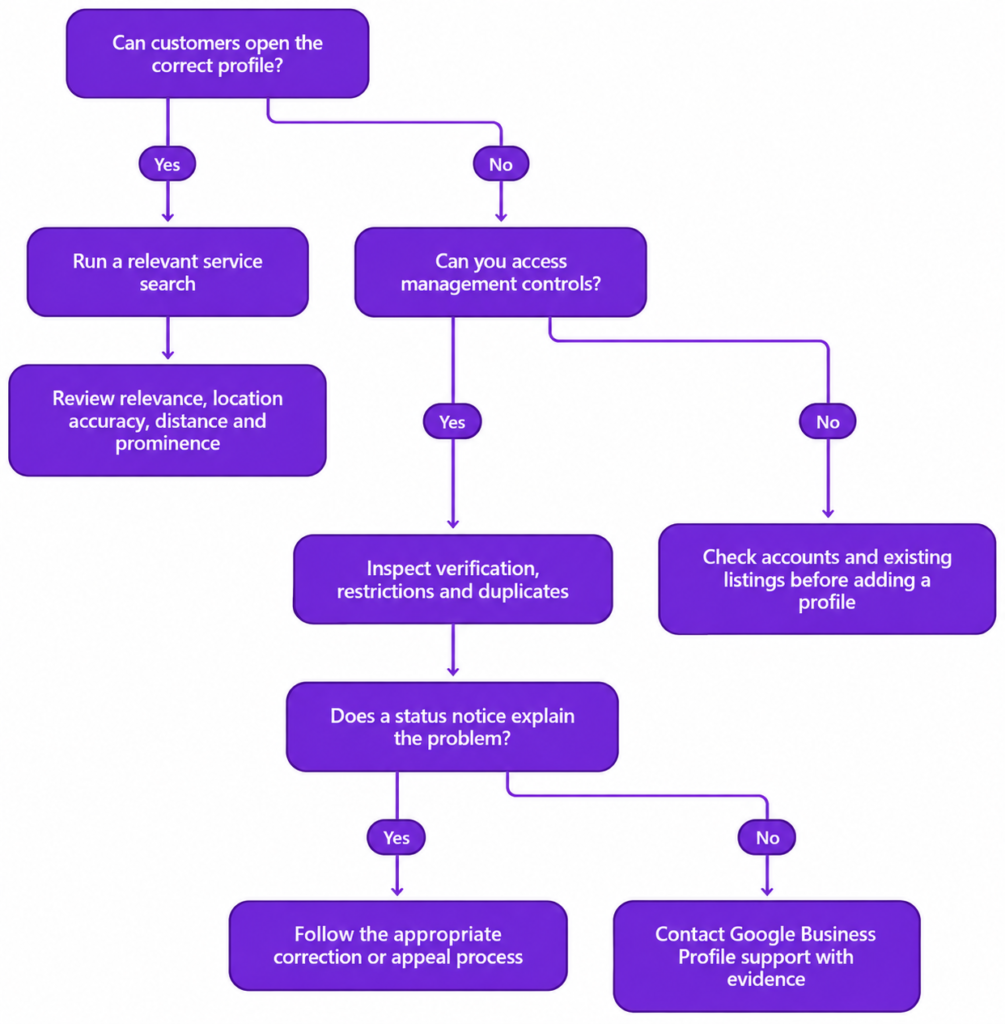
Record the query, search location, date and whether you used Maps or Google Search. Google Search’s Map Pack—the local business results displayed alongside a map—is a different surface from the Maps results list.
A private window separates customer access from your management view. It does not remove location effects or reveal a universal ranking.
If the Profile Is Inaccessible, Investigate Its Status
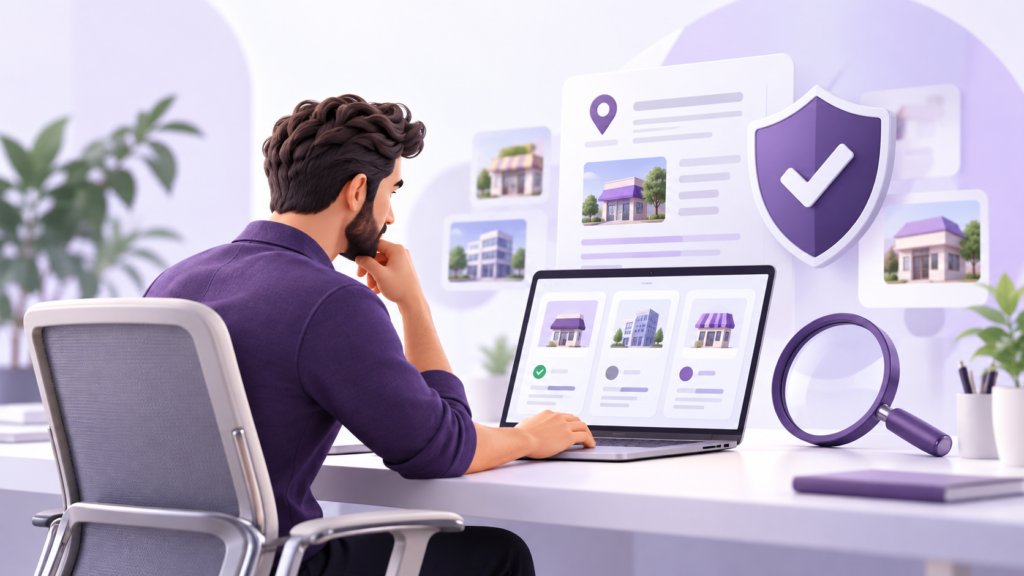
Confirm That the Business and Location Are Eligible
Most eligible businesses either receive customers at physical premises or travel to customers to provide services. An online-only business does not qualify simply because it has a registered address.
Compare the profile’s setup with actual operations:
- A displayed customer-facing address must meet the applicable premises requirements.
- A rented mailing address where the business does not operate is not an eligible location.
- A coworking office needs clear signage, customer access and staffing by your own business during business hours.
Correct inaccurate details where the actual operation supports an eligible profile. If the business itself is ineligible, reviews and website changes will not resolve that problem.
Check Whether Verification Is Complete
Sign in to the associated Google Account and search your business name and city, or “my business,” in Google Search.
Look for Get verified, a pending review or a re-verification request. Complete the methods offered for that profile; available options differ between businesses.
If a verification video was rejected, open Review issues and address the stated requirements before submitting another.
Uploading evidence is not the same as receiving verification confirmation. Use the profile status and confirmation message to establish whether the process is complete.
Investigate Suspensions and Account Restrictions
Open the Google Business Profile appeals tool and inspect the affected profile, decision reason and linked policy.
Correct confirmed violations before appealing. Prepare relevant evidence, such as business registration or utility bills, with details consistent with the profile. Follow the submission requirements shown in the tool.
If the managing account is restricted, resolve that restriction before proceeding with the profile suspension appeal.
Do not create a replacement listing to bypass the restriction.
Resolve Ownership and Duplicate Problems
Search for profiles under previous names, old addresses or details used by former employees or agencies.
If someone else owns the correct listing, request access through the ownership process. If it is unverified, claim and verify it.
A profile marked as a duplicate will not appear on Search or Maps. However, sharing an address does not automatically make two businesses duplicates: distinct, eligible businesses may each qualify.
Confirm which listing represents your operation before requesting a merge or removing an accidental duplicate. A routine relocation should normally be handled by updating the existing profile.
Escalate an Unexplained Access Failure
If verification is complete and no restriction or duplicate notice explains the inaccessible listing, open the Google Business Profile Help Centre and select Contact us while signed in to the managing account.
Prepare:
- The business name and Maps link, if available.
- The Business Profile ID, found under More → Business Profile settings → Advanced settings.
- Screenshots of the management status and any messages.
- The exact search used and what happened when opening the public link while signed out.
- The date the problem began and relevant recent changes.
Describe the failure precisely—for example, “The saved Maps link no longer opens the business profile.” Follow requests for additional evidence and retain the case reference.
If the Profile Opens, Review Local Search Visibility
Google’s local results primarily consider relevance, distance and prominence. Investigate these factors against the search conditions you recorded.
Relevance: Does the Profile Match the Search?
Compare the query with the primary category and services the business actually provides.
A plumbing business using a broad contractor category should check whether a more specific, accurate category is available. Select additional categories only for genuine business activities.
Keep the real business name. Adding service or city keywords solely to influence searches can violate Google’s rules.
For a broader review of profile information, use Bixeltek’s Google Business Profile optimization checklist.
Distance: Check Location Accuracy Before Comparing Results
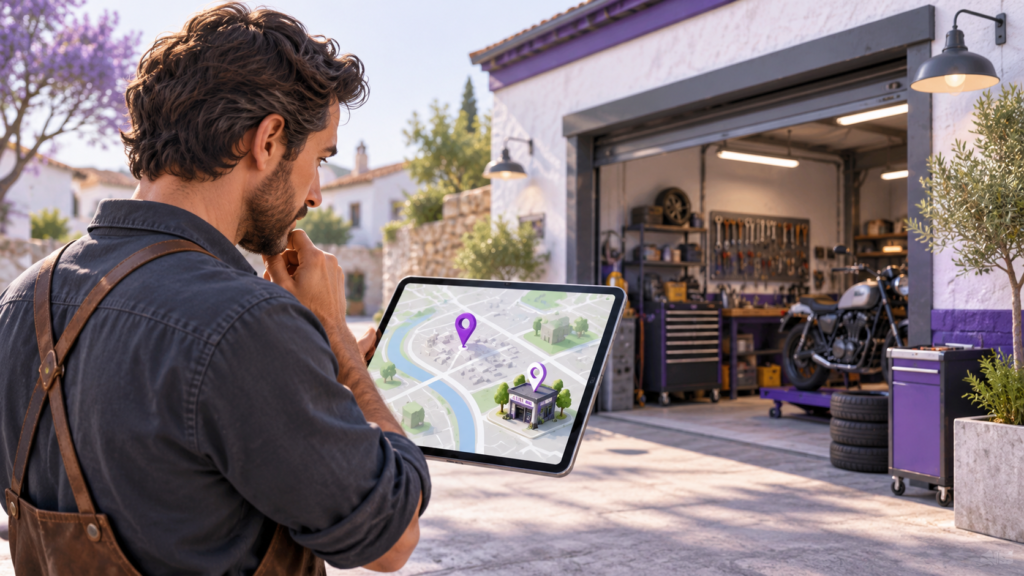
For customer-facing premises, inspect the published address and map pin first. Check the building, unit details and whether the pin represents the actual business location.
If the address is wrong, open Edit profile → Location → Business location and correct it. Where a pin adjustment is needed, use Adjust, position the pin at the real location and save.
Do not move the pin towards a target neighbourhood to influence visibility.
Once the location is accurate, compare the same service query from relevant customer locations. Appearing nearby but less often farther away is consistent with distance affecting results; it does not isolate the cause by itself.
For businesses visiting customers, listed service areas describe coverage. They do not create additional business locations or guarantee rankings across those areas. Hide the address when customers are not served there.
Prominence: Address Gaps in Reviews and Business References
Google considers how well-known a business is, including signals such as links, review numbers and ratings.
If genuine customers are not routinely invited to give feedback, introduce a consistent request using the profile’s review link or QR code. Invite honest reviews without payments, discounts, requested ratings or filtering customers by satisfaction.
Inspect established directories and relevant industry listings for incorrect names, phone numbers, addresses or website links. Correct substantive errors through the appropriate listing-management process.
Accurate listings and authentic feedback are useful improvements, but a competitor’s larger review count does not prove why it ranks higher. Bixeltek’s local SEO services can support an assessment of persistent visibility gaps across relevant searches and locations.
Investigate Website Faults Separately
Open the website link on the public profile. Confirm that it reaches the correct business and relevant location rather than a broken page or outdated destination.
With Google Search Console access, use URL Inspection to review:
- The indexed page status and any reported indexing reason.
- The Google-selected canonical—the URL Google treats as the main version.
- The current page’s indexability through a live test after repairs.
A successful live test does not guarantee indexing or rankings. Likewise, a website fault does not establish why a Maps listing is inaccessible.
If the inspection identifies technical website problems, Bixeltek’s technical SEO services can help investigate and address them.
Verify the Specific Problem You Corrected
After the relevant correction takes effect, repeat the test that originally failed.
| Problem addressed | Verification |
|---|---|
| Inaccessible profile | Open the saved Maps link while signed out. |
| Incorrect address or pin | Inspect the published address and mapped location. |
| Incorrect closure label | Confirm that the public listing shows the correct operating status. |
| Incorrect external listing | Open the directory or industry listing and check the corrected details. |
| Weak service-search visibility | Repeat the same queries from the recorded locations and compare results over time. |
Where approval is required, check both its status and the public result. Approval and public verification confirm that the correction is visible. Neither establishes a ranking improvement.
Hypothetical Example: An Incorrect Pin During a Ranking Review
A repair workshop appears when searched by name, but the owner cannot find it for a nearby repair-service search.
| Stage | Evidence or action |
|---|---|
| Observed symptom | The public profile opens, but the workshop is absent from the service results inspected near its premises. |
| Evidence checked | The owner records the query and search location, then compares the published address and pin with the workshop’s actual premises. |
| Issue identified | The address is correct, but the pin is positioned in another district. This confirms a location error without proving it is the sole cause of weak visibility. |
| Correction | The owner adjusts the pin to the actual workshop location and submits the change. |
| Verification | After approval, the public map shows the correct location. The owner repeats the recorded service searches to assess whether visibility changes. |
If weak visibility continues, the review proceeds to category relevance and prominence. The example does not assume a ranking improvement simply because the location error was corrected.
Get Help With a Persistent Visibility Problem
If the checks leave you with conflicting profile information or unexplained gaps across customer locations, Bixeltek can review the evidence and identify whether profile corrections, local search improvements or website repairs are appropriate.