
Google Ads Conversion Tracking Mistakes: Checks and Fixes
Google Ads Conversion Tracking Mistakes That Distort Your Results Google Ads conversion tracking mistakes can inflate reported results, hide genuine enquiries or give conversion-based bidding the wrong signals. Start by checking whether each conversion action measures the intended outcome,...
- Oct 14, 2026
- 14 min read
By Danish Hussain

Google Ads Conversion Tracking Mistakes That Distort Your Results
Google Ads conversion tracking mistakes can inflate reported results, hide genuine enquiries or give conversion-based bidding the wrong signals. Start by checking whether each conversion action measures the intended outcome, records it correctly and belongs in the campaign’s bidding goals.
Then compare those actions with your website behaviour and business records. A dashboard total alone cannot establish whether measurement is accurate.
This guide focuses on service businesses tracking forms, calls and later sales outcomes, with purchase-specific guidance where the setup differs.
Establish What Your Conversion Numbers Represent
A conversion is an action you have configured Google Ads to measure. Its business meaning depends on that configuration.
| Recorded action | What it establishes | What it does not establish |
|---|---|---|
| Contact-button click or form opening | A visitor interacted with the contact route | A completed enquiry |
| Successful enquiry submission | The website accepted a request | Qualification, booking or payment |
| Call meeting a duration threshold | A tracked call met your configured rule | A suitable prospect or sale |
| Qualified lead recorded by the business | An enquiry met defined business criteria | A confirmed booking |
| Confirmed booking | The customer scheduled the service | Completed work or collected revenue |
Define qualification using criteria your team can apply consistently, such as the requested service, service area and project suitability.
Open Goals → Conversions → Summary in Google Ads. Review each action’s source, settings and status. Segment campaign reporting by conversion action so that forms, calls and other events can be assessed separately.
If measurement needs to be reviewed alongside campaign settings, Bixeltek’s Google Ads management services cover conversion tracking as part of account management.
Counting Form Attempts as Completed Enquiries
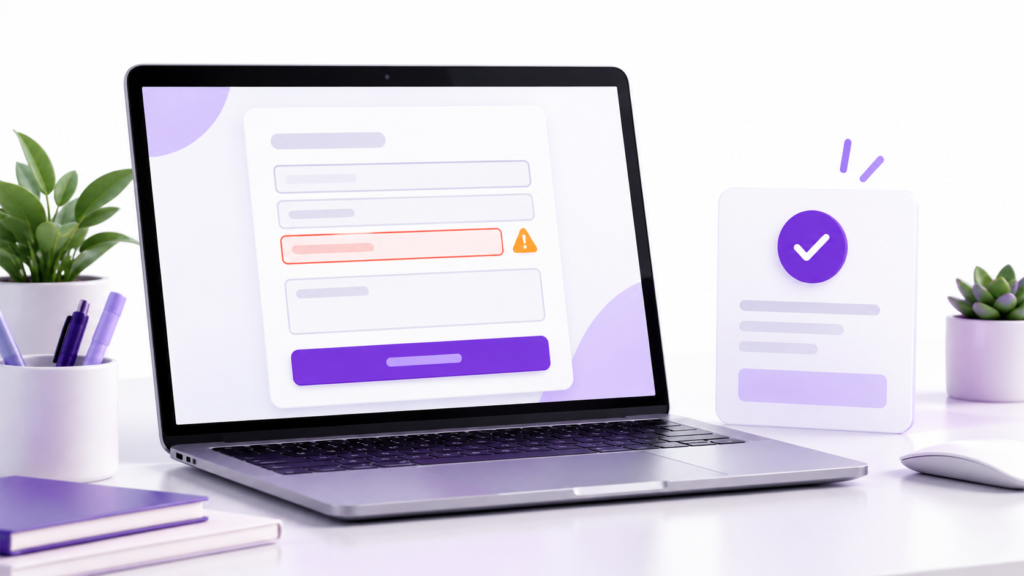
A conversion triggered by the submit-button click can fire before validation or submission succeeds. Someone may click the button, receive an error and leave without contacting the business.
Use Google Tag Manager (GTM) Preview, which connects through Tag Assistant, to inspect the sequence:
- Submit the form with a required field missing.
- Check whether the completed-enquiry tag fires.
- Submit a valid, clearly labelled test request.
- Confirm the server’s success response and locate the request in the business’s records.
Trigger the event after the server confirms that the request was accepted, rather than when the button is clicked or a success message is merely displayed.
Your developer or form provider should identify the response or application event that reliably represents acceptance. Failed attempts can be measured separately when they help diagnose form problems.
A thank-you-page trigger also needs safeguards against direct visits and repeat page loads.
If the website accepts the request but the team never receives it, inspect submission storage, notifications and delivery to the correct CRM record or team. CRM means customer relationship management system. Repair the delivery failure separately from the tracking trigger.
Where broken form behaviour requires website work, Bixeltek’s professional web design services provide a relevant route for reviewing the enquiry experience.
Recording the Same Outcome Through Multiple Routes
Duplicate measurement can happen within one implementation or across separate conversion actions.
Typical causes include:
- A conversion event installed directly in the website and through GTM.
- Overlapping triggers firing for the same successful submission.
- A confirmation-page event firing again after a refresh.
- A native Google Ads action and an imported Google Analytics 4 (GA4) conversion measuring the same enquiry.
Inspect the event sequence, triggers and conversion-action sources before removing anything. Multiple Google tags on a page do not, by themselves, prove duplicate conversion counting.
When Google Ads and GA4 both measure the same enquiry, select the bidding action based on:
- Event accuracy: Does it follow the intended successful outcome?
- Coverage: Does it capture the relevant forms, pages and devices?
- Business meaning: Does it represent the outcome the campaign should pursue?
Keep the alternative for comparison if useful, but exclude it from that campaign’s bidding goals when it represents the same outcome.
For purchases, pass a unique transaction ID that remains consistent when the same order confirmation is revisited. Google Ads can use it to deduplicate repeated conversions within the same conversion action.
A shared ID does not automatically merge separate conversion actions. Never use one fixed transaction ID for every order: that can suppress legitimate purchases.
Using the Wrong Goals for Conversion-Based Bidding
An event can be technically accurate and still be unsuitable as a bidding target.
For example, a contact-page visit helps explain visitor behaviour. Using it as the main enquiry outcome gives bidding a different objective from generating completed requests.
Review both the conversion action and the campaign’s selected goals:
- Primary actions appear in the “Conversions” column and are used for bidding when their standard goal is selected by the campaign.
- Secondary actions normally appear in “All conversions” for observation.
- Custom goals are an exception: included actions are used for bidding regardless of their primary or secondary designation.
Check whether the campaign uses account-default goals, campaign-specific goals or a custom goal. Changing an action to secondary is insufficient if it remains inside a selected custom goal.
Smart Bidding strategies such as Maximise Conversions and Maximise Conversion Value use the configured outcomes. Review those outcomes before interpreting performance or changing targets.
There is no universal conversion-count threshold that determines when every business should change bidding strategy.
Treating “One” as Complete Duplicate Protection
Google Ads offers One and Every counting options for individual conversion actions.
One is commonly appropriate when the objective is to record whether a lead occurred after an ad click. Every is commonly appropriate for purchases where separate orders each add value.
However, “One” does not mean one unique customer across your entire account. It does not merge:
- A form action and a call action from the same person.
- Two separate actions measuring the same submission.
- Conversions associated with different ad clicks from a returning prospect.
Choose the setting according to the action’s purpose. Repair faulty triggers separately, and use business records to identify unique contacts when that is the metric you need.
Changing the count setting affects future reporting; it does not clean up previously recorded duplicates.
Missing Calls or Overstating Their Value
Check every phone route customers can use: calls directly from ads, calls to numbers displayed on the website and clicks on telephone links.
These routes do not necessarily use the same tracking method.
For website call tracking using Google forwarding numbers, confirm country eligibility, the configured phone number and whether number replacement works on the relevant pages. Form tracking does not verify call tracking.
Compare call reporting with your phone system’s records. Inspect timestamps, duration, connection status where available and the team’s recorded outcome.
A minimum call-length rule is a proxy for potential value. A long call may involve an existing customer or an unsuitable request; a short conversation may produce a booking. Set the threshold using your call patterns rather than a universal recommendation.
If the implementation records a telephone-link click, label it accordingly. It does not verify that a call connected.
For qualification or sales measurement, use supported outcome imports from your business or call-tracking system. Keep those outcomes distinct from the initial call event.
Assuming a Consent Banner Automatically Configures Tracking

A banner can display correctly while failing to communicate the visitor’s choices to Google tags.
If measurement changes after a banner update, inspect consent behaviour before assuming enquiries have declined.
In Tag Assistant, check:
- The default consent state before tags use it.
- Updates after accepting, rejecting or changing choices.
- Whether tags behave as intended under each state.
- Regional settings, where the implementation uses them.
Google’s consent signals include ad_storage, analytics_storage, ad_user_data and ad_personalization.
Basic consent mode blocks Google tags until consent is granted. Advanced consent mode loads supported tags with consent defaults and can send cookieless signals while consent is denied.
These implementations create different measurement conditions. A blocked tag may be behaving correctly; an unchanged denied state after acceptance may indicate an integration fault.
Correct confirmed errors through the consent-management platform or tag implementation. Do not force consent to “granted” to increase reported conversions.
Modelled conversions can estimate measurement gaps where available, but they do not provide a named business record for every estimated enquiry.
Losing Attribution or Missing Offline Outcomes

A genuine enquiry can reach your business without being attributed to Google Ads. Check the connection between the ad interaction and the recorded outcome.
Check Auto-Tagging and Redirects
Open Admin → Account settings → Auto-tagging and confirm that auto-tagging is enabled.
Auto-tagging adds information such as the Google Click Identifier (GCLID) to ad-click URLs. Inspect the landing-page redirect chain to check whether the gclid parameter is preserved unchanged through to the final page.
Use your browser’s developer tools to examine requests and redirect destinations. If a redirect removes the identifier before tracking can capture it, have the developer correct that behaviour.
A test parameter can help check whether redirects preserve query parameters. It does not create a genuine ad interaction or establish conversion attribution.
Review Offline Import Diagnostics
For qualified leads, bookings or sales uploaded from business records, open the conversion action’s offline data diagnostics. Review alerts and upload history; file-based imports also provide results on the Uploads page.
Inspect errors involving the conversion action, account, identifiers, timestamps, duplicates or submission deadlines. Correct the specific cause and retry affected records where permitted.
If diagnostics identify an invalid timestamp, check the source record and time-zone formatting; do not change the actual outcome time merely to make the upload pass.
An accepted upload is not proof of successful attribution. Processing, matching and reporting checks still apply.
If uploads include outcomes from other channels, only a portion may be attributable to Google Ads. Investigate widespread unexpected matching failures rather than assuming every unmatched record is a tracking error.
Misreading Conversion Windows and Reporting Differences
A conversion window determines how long after an eligible ad interaction an action can be attributed. The attribution model determines how credit is assigned.
Review windows separately for form enquiries, qualified leads and purchases. A window suitable for an immediate request may exclude a later booking or sale.
Use Google Ads attribution reports alongside business timestamps to assess the delay between interaction and outcome. Time-lag reports reflect conversions captured within the current tracking setup and conversion window; they cannot reveal every excluded outcome.
Distinguish two delays:
- Customer delay: the person has not completed the action yet.
- Reporting delay: the action happened, but processing or import is incomplete.
For reconciliation, use “Conversions (by conv. time)” or “All conv. (by conv. time)” as appropriate, filtered to the relevant actions. Standard conversion reporting generally assigns conversions to the ad interaction date.
Align date ranges, time zones, action definitions and attribution scope. For imports, compare the outcome date rather than the upload date.
GA4 totals, all website enquiries and Google Ads-attributed conversions are different measures. Exact agreement is not automatically expected.
Testing a Tag Without Testing the Full Enquiry Path
A tag firing establishes that the tested trigger executed. It does not prove successful delivery, correct ad attribution or lead quality.
Record the device, page, consent choice, timestamp and expected action. Follow the test request through the website, business records and relevant tracking system.
A direct visit can verify form behaviour and tag execution. Without an eligible ad interaction, the submission need not appear as an attributed Google Ads conversion.
After publishing a correction, repeat the failed test on the live implementation. Preview-mode success alone does not confirm that the published version works.
Hypothetical Example: A Rejected Form Still Records a Conversion
A repair business accepts UK mobile enquiries. Its form should accept a valid national-format number beginning with 07, containing 11 digits, but its validation incorrectly requires 10 digits.
| Stage | Evidence or action |
|---|---|
| Observed symptom | Google Ads records enquiry events that the business cannot locate. |
| Test performed | A labelled request uses a valid UK mobile number in the intended national format. |
| Evidence checked | The form rejects the number, while GTM Preview shows the enquiry tag firing on the submit-button click. |
| Issue identified | Validation rejects an appropriate format, and tracking records an unsuccessful attempt. |
| Correction | Repair validation and trigger the enquiry event after the server confirms acceptance. |
| Verification | On the published form, the valid request reaches business records and triggers one intended event; the rejected-field test triggers none. |
The test identifies one confirmed source of false enquiry events. It does not explain every unmatched event or establish improved campaign performance.
Google Ads Conversion Tracking QA Checklist
Use this quality assurance (QA) checklist to record evidence and assign corrections. Mark each item as passed, failed or not yet verified.
| QA area | Evidence to retain |
|---|---|
| Action definition | Written description of the outcome each action represents. |
| Form behaviour | Results for accepted and rejected submissions. |
| Duplicate protection | Event sequence, action-source review and repeat-load test. |
| Campaign goals | Selected standard or custom goals and their included actions. |
| Counting | Documented reason for One or Every. |
| Calls | Verified tracking route and comparison with phone records. |
| Consent | Results for accept, reject and changed-choice tests. |
| Business delivery | Matching stored request and notification or CRM record. |
| Click attribution | Auto-tagging check and redirect inspection. |
| Offline imports | Diagnostic results and resolution of affected records. |
| Reporting comparison | Agreed windows, date basis, time zone and scope. |
| Deployment | Test results from the published implementation. |
If enquiries are delivered accurately but unsuitable requests dominate, investigate targeting and messaging. If suitable enquiries arrive but remain unanswered, investigate follow-up. Those findings require different actions from repairing a tag.
If these checks reveal overlapping actions, unclear bidding goals or missing attributed outcomes, Bixeltek can review the measurement setup alongside the account configuration.